
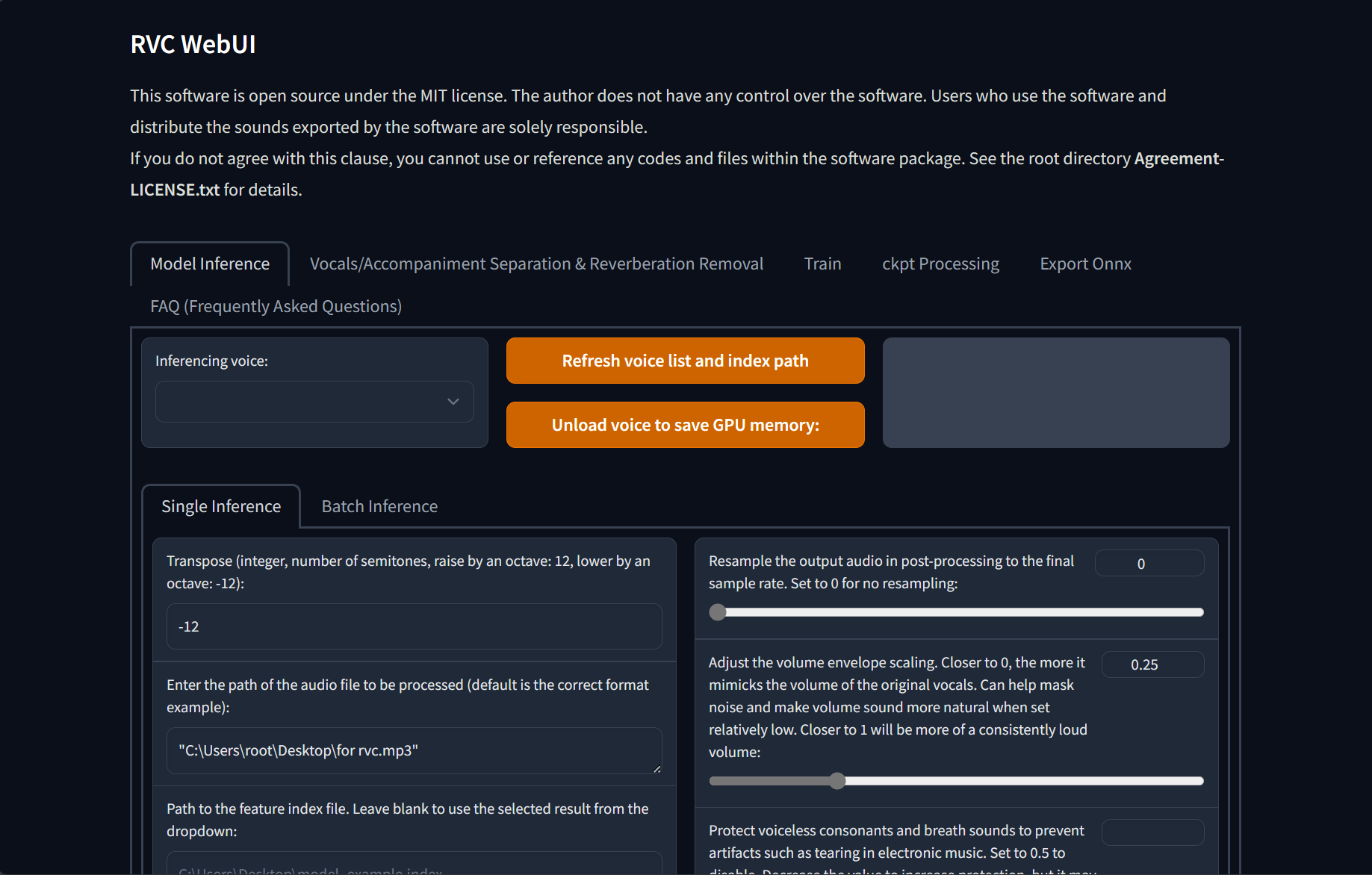
Preface
In previous articles, an alternative RVC implementation – Arasaka ltd. , I briefly introduced RVC Voice Changer. I would like to thank the development team for their hard work and the help of the community to make this project better and better.
Some features of the project
- Reduce tone leakage by replacing the source feature to training-set feature using top1 retrieval;
- Easy + fast training, even on poor graphics cards;
- Training with a small amounts of data (>=10min low noise speech recommended);
- Model fusion to change timbres (using ckpt processing tab->ckpt merge);
- Easy-to-use WebUI;
- UVR5 model to quickly separate vocals and instruments;
- High-pitch Voice Extraction AlgorithmInterSpeech2023-RMVPEto prevent a muted sound problem. Provides the best results (significantly) and is faster with lower resource consumption than Crepe_full;
- AMD/Intel graphics cards acceleration supported;
Preparation: Start
First of all, you need to understand what voice you need to train. This voice must be real. It can be a certain character in a certain game or animation or movie, and you can guarantee that you can collect at least 5- 10 minutes or more of data, instead of just dreaming it up, you should close this page and search on Google for a suitable audio processing software to adjust your voice or the voice you want to change.
Training an RVC model is very simple. The general steps are:
- Data collection
- Data processing
- Data segmentation
- extract pitch
- Start training
- Build index
- Finish
So, let's actually start training
Start
Let's start collecting data. You can use some tools to unpack games to get sounds, and you can also use download tools to download videos, music, movies...
Here, I will not introduce in detail how to unpack a certain game or download video music from a certain platform, etc. Please solve it yourself.
Then, extract the dry vocals via The Ultimate Vocal Remover Application
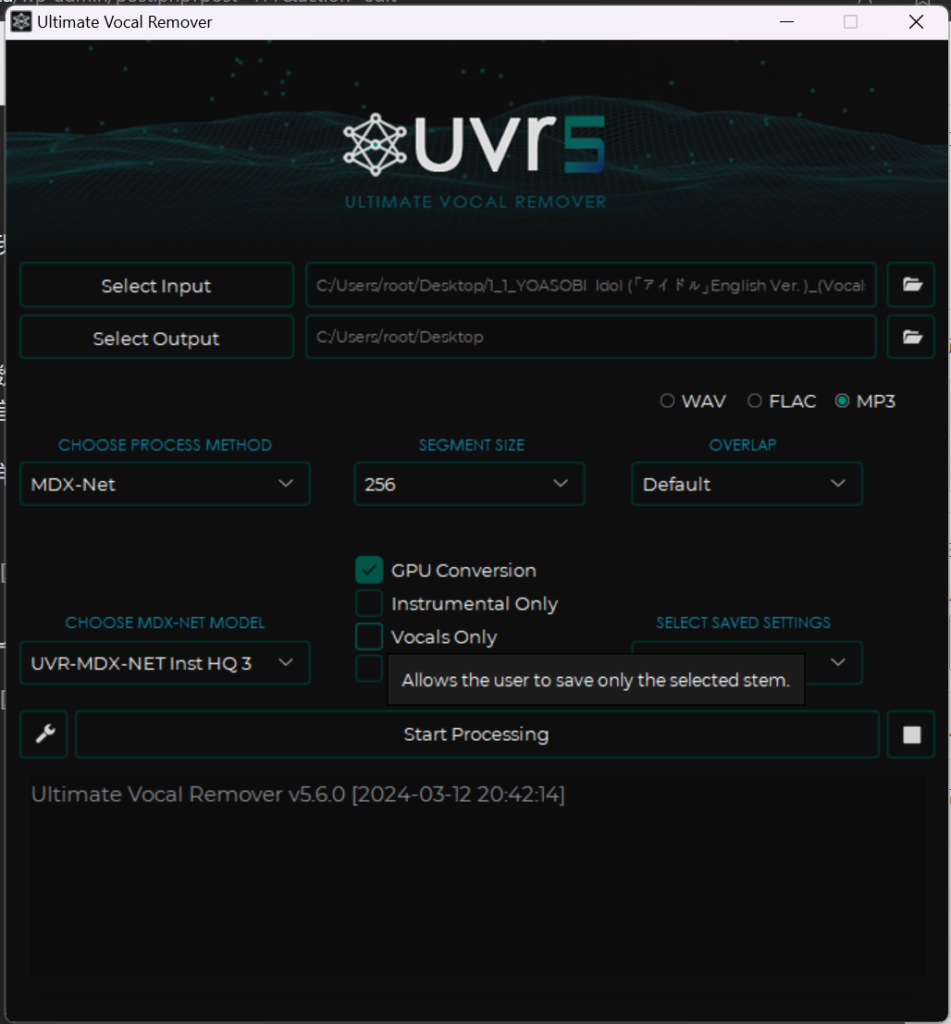


I won’t go into detail here on how to use UVR5, but I will recommend a few models for you
First, use UVR-MDX-NET inst HQ3 to separate the vocals. You only need vocals, so check Vocals Only
Then, use UVR-DeNoise in the VR model to make the human voice purer (if the voice you need to train has certain characteristics, such as a robot, please do not use it)
Then, use UVR-DeEcho-DeReverb to remove some harmonics and reverberation and delay (please don’t use it if you need to train a distinctive sound such as: Behemoth)
Finally (optional) if there are multiple people in your voice data, use 5 or 6_HP-Karaoke-UVR to extract the main voice
Then, rename your sound data to keep it organized, like
- lala (1).wav
- lala (2).wav
- lala (3).wav
- ……
Put them in a folder without spaces, and start RVC Webui (go-web.bat)
If you don't have an nvidia gpu or don't want to train locally, you can follow AutoDL·RVC训练教程 · RVC-Project/Retrieval-based-Voice-Conversion-WebUI Wiki · GitHub
After starting, the program will automatically open the browser and open a page
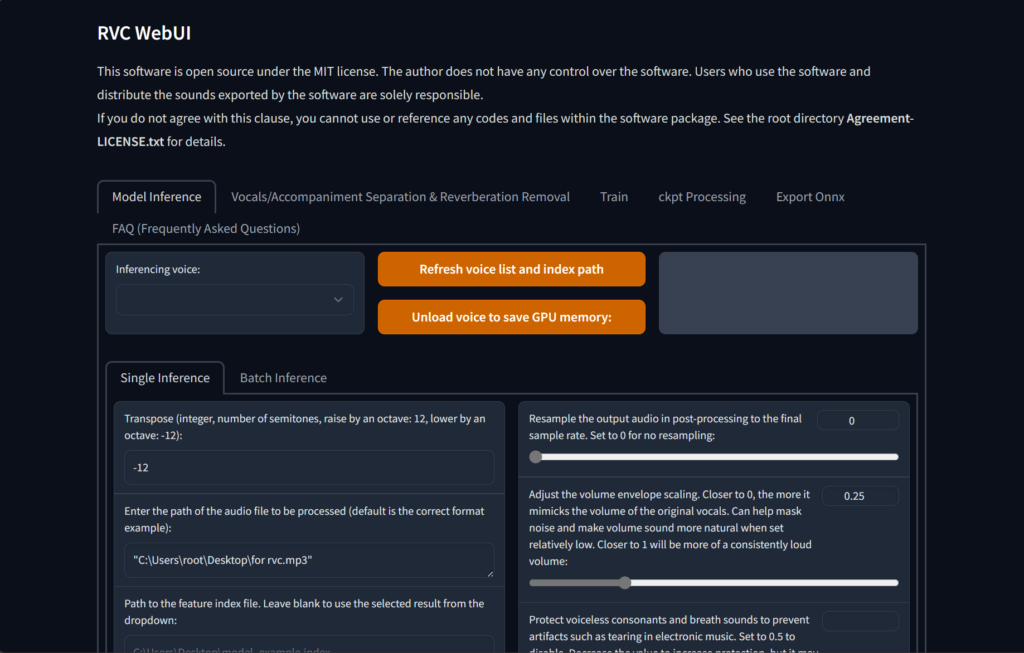
Click Train
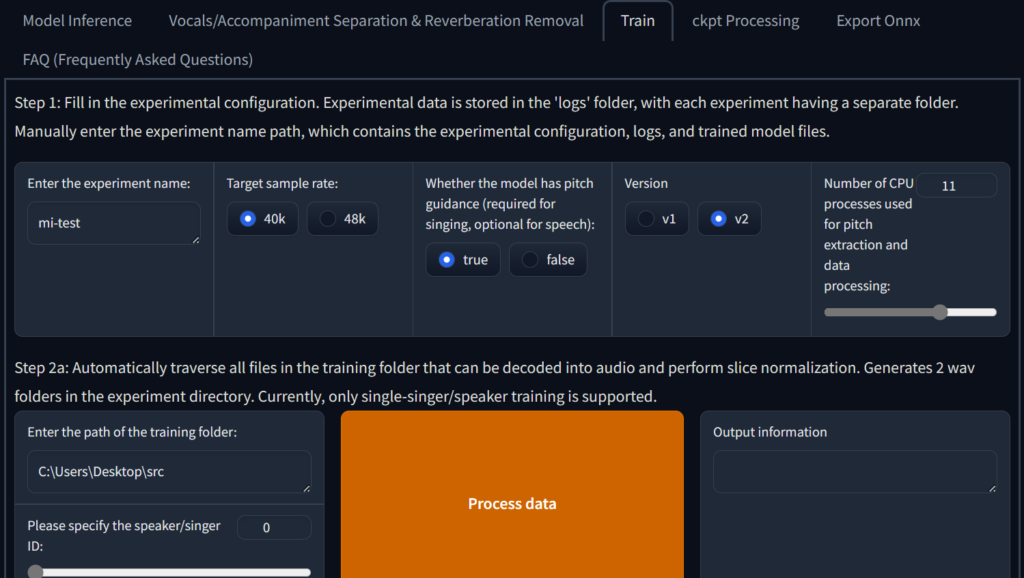
At Enter the experiment name Enter a name there without spaces. It is recommended to use Pinyin or English. It can be the name of the character you train.
It is enough to select 40k as the target sampling rate. If your sound data has 48k, of course 48k is better for training.
I recommend checking ture for pitch guidance whether you use this model to sing or not, because people usually speak differently.
It is recommended to keep the default number of CPU processes. If you are confident in your hardware, you can increase it or increase it to full.
Then Shift + right-click on your training data folder Copy as path
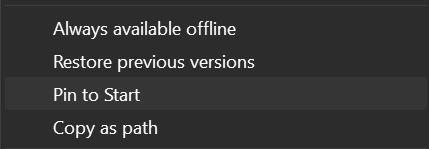
Then paste it into Enter the training folder path Don’t touch anything else
Then choose the model that handles pitch, I recommend using rmvpe_gpu if you have multiple graphics cards you can follow the instructions to change it
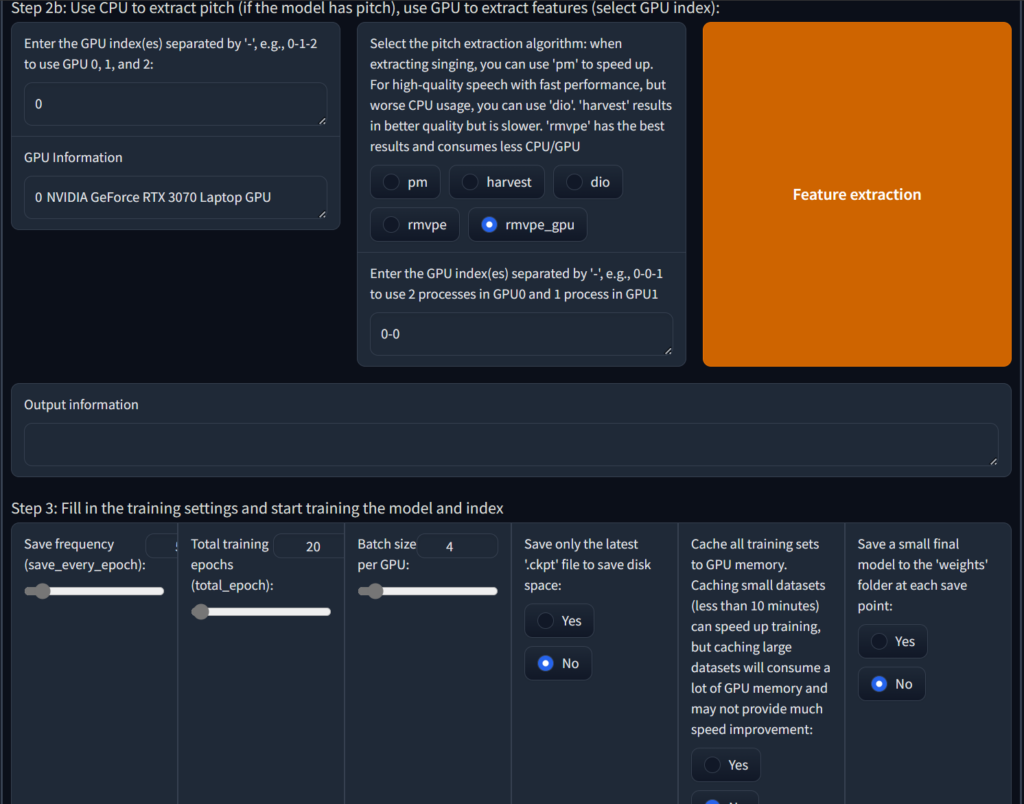
Then slide down to the last column
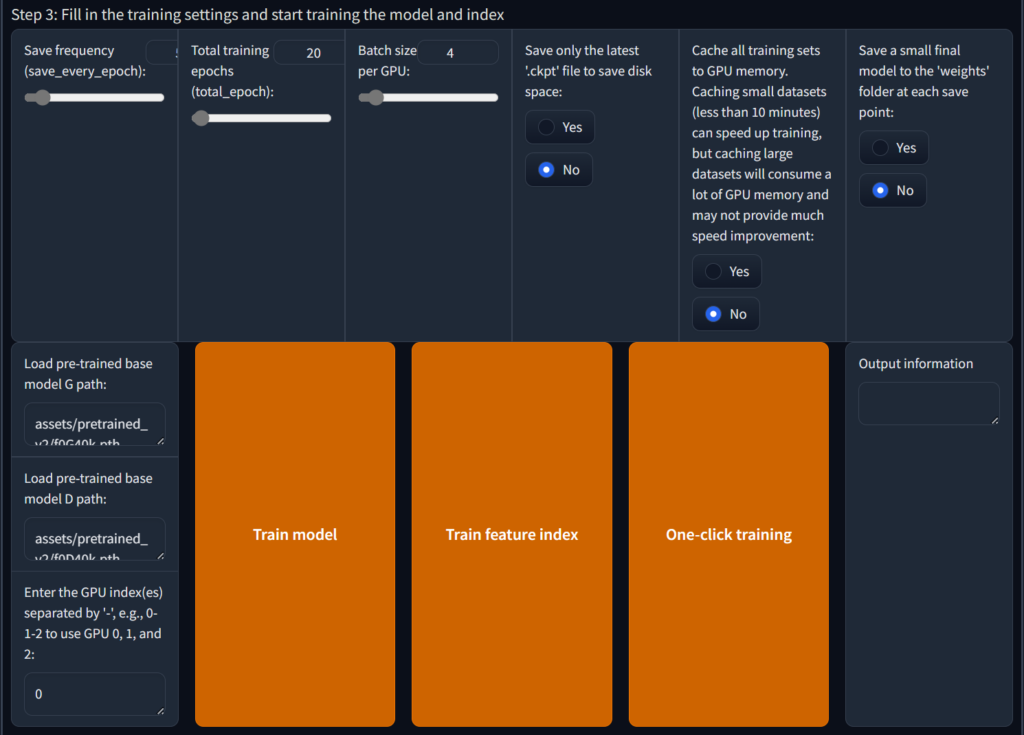
The first item Save frequency can be kept as default, so that you can continue training even after the computer is powered off and restarted. Of course, if you are confident, you can also save it directly after 50 rounds.
Total_epoch can be kept as default. Generally, the default is enough to clone the timbre. However, if your timbre is special (such as clip tone), it can be increased to 200, but the training time will also increase. In theory, the higher the Batch_size, the faster the training. At the same time, It also takes up more and more existing resources. If the GPU performance is poor but the video memory is increased, the model quality will decrease.
It is recommended to keep the latter options unchanged. If your hard disk space is insufficient, you can check to only save the latest ckpt.
Then click One-click training to start training. It is recommended to close all other web pages and background programs. Only keep the current page and backend. Do not close the web page. Wait for the training to complete. You will be in the Installation directory/\ Find training name.pth under assets/\weights. This is your model file and then find in Installation directory/\logs/\training name
Done
Next, please enjoy the model you trained. If you are willing, please share the model with more people. It is recommended to upload it to Hugging Face
 简体中文
简体中文  English
Leave a Reply