
Preface
I believe that everyone who surfs the Internet has the need to use a voice changer, whether it is to maintain anonymity, add fun, spice up life and other needs, so naturally there are many voice changing software and projects, some are open source and some are not. Yes, charged, etc.
Of course, I also have the need to use a voice changer, in every sense of the word. Just by chance, I discovered this good project
Retrieval-based-Voice-Conversion-WebUI
It can run locally and train the model by itself. It is so natural to use that you can’t even hear the flaws. Of course, I also unpacked my favorite games and trained the model using the voices of the characters in them.
mozi1924/my_rvc_model · Hugging Face
However, this project has a fatal flaw, which is that it requires a lot of configuration. My laptop configuration is not very high, so I can’t use it when playing games. But coincidentally, I also have a computer, so I can Using another computer as a voice changer and a laptop for playing games doesn't kill two birds with one stone?
Tutorial: Getting Started
First, the computer configuration I used to run RVC is as follows
cpu: E5-2696V3
ram:DDR4 ECC 16G
128G NVME SSD
550W Power
x99 platform copycat motherboard
Tesla P40 24G
windows server 2022
My laptop is intel nuc x15 barebone lapkc71f
cpu:i7-11800H
gpu: rtx 3070 laptop
ddr4 16g
1t+2t nvme ssd
windows 11 pro
So how do we combine these two devices?
You need two aux audio cables
a usb sound card
These two little things will cost no more than 10$ at TEMU.
Next we connect the host and laptop
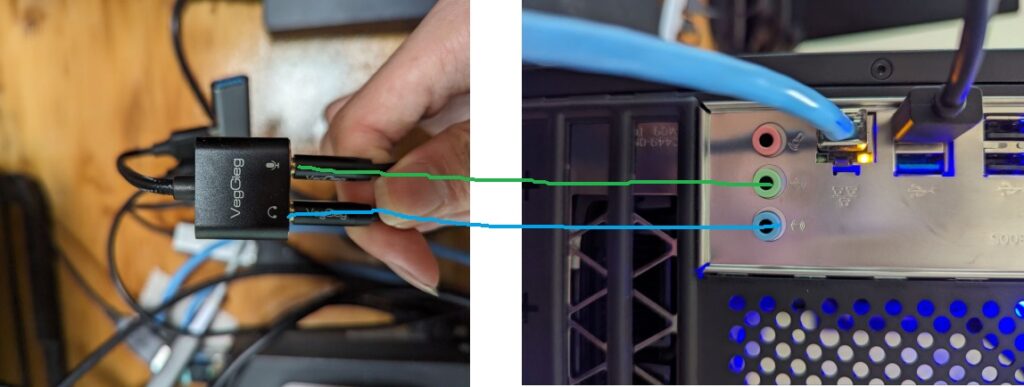


As shown in FIG
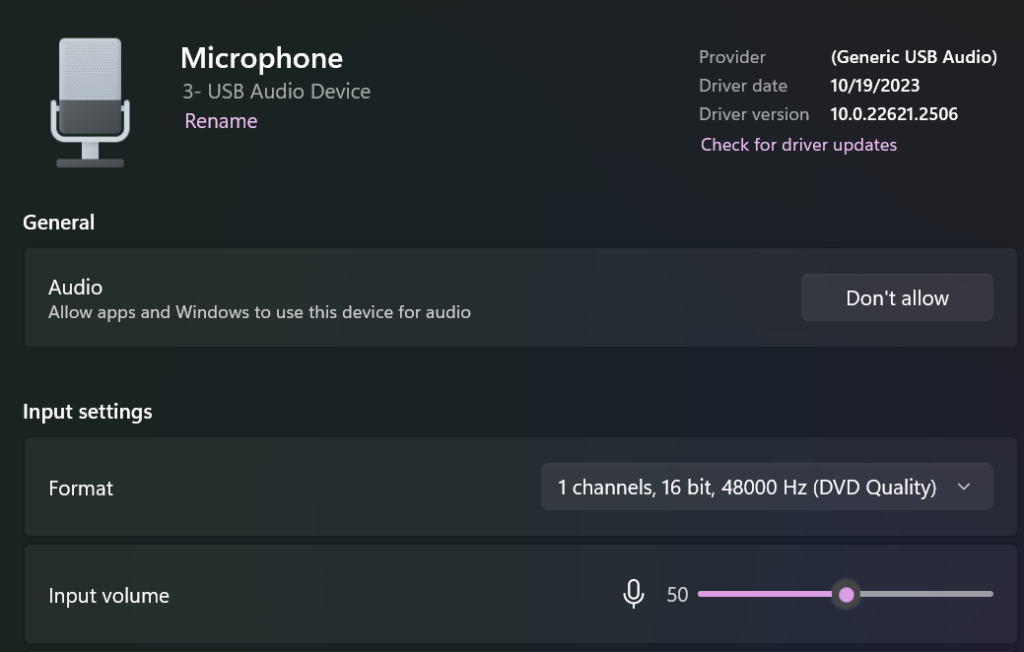
Then set the sound card's microphone as default and adjust the volume to 50%. Otherwise, your volume will be too loud and cause broken sound.
Then install a Voicemeeter on your laptopDownload link
And adjust as appropriate as shown in the figure
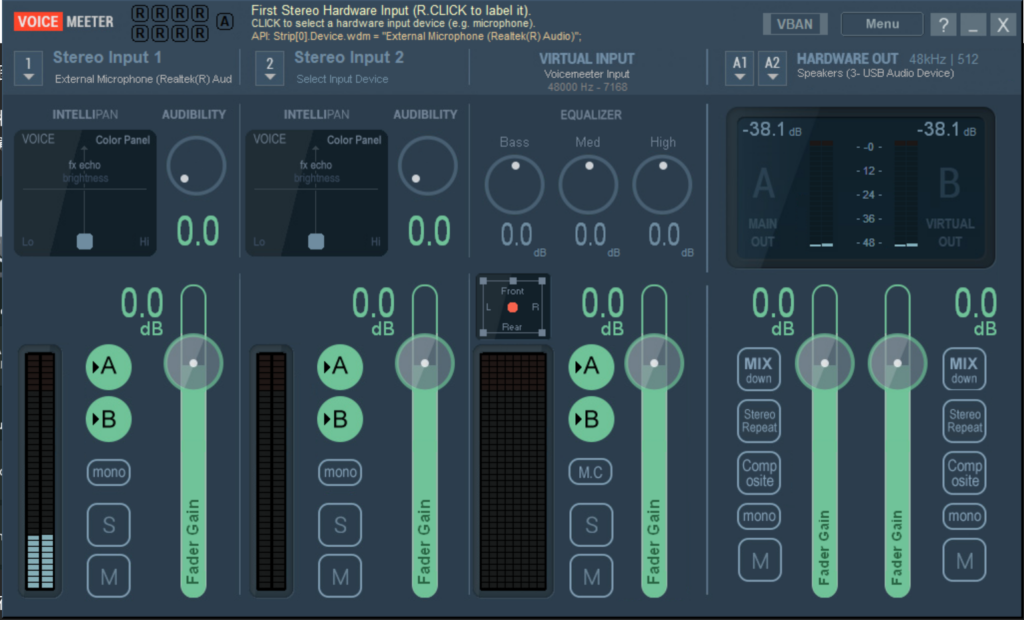
Among them, Input 1 is the microphone of your headset or the virtual microphone created by the noise reduction software, and HARDWAVE OUT is the output of the USB sound card you connect to the host.
After installing RVC on your host, please see the following picture:
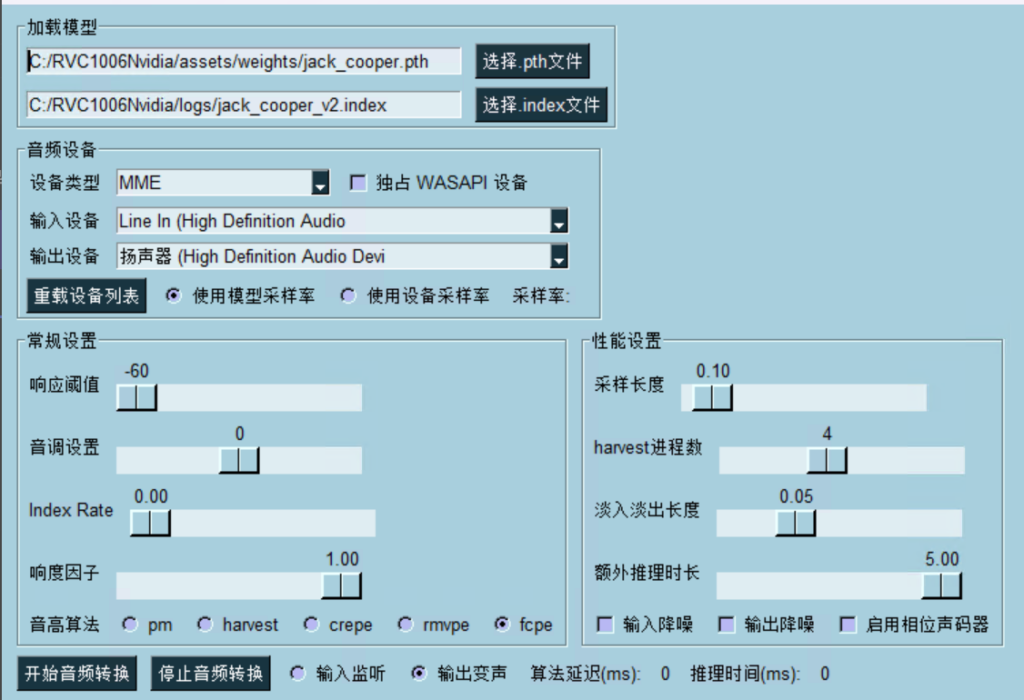
Select line in as the input device, so that the input sound will not be too loud and the recognition rate will be higher.
Select the speaker as the output, and the sound will go to your USB sound card. Remember to turn down the microphone sound on your laptop, otherwise the sound will be too loud and cause broken sound. You can copy the rest of the configuration, provided that your host performance is better or the same as mine.
Then, enjoy the anonymity and fun that voice changer brings to you
Tips: If your environment is noisy or your microphone is poor, you can tryNVIDIA Broadcast
The premise is that you have an nvidia graphics card of rtx20xx series or above, otherwise, it will not work


 简体中文
简体中文  English
Leave a Reply